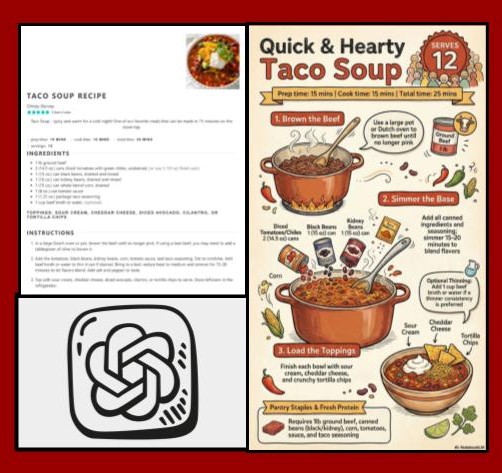
If you liked the original Can-Do Convenience Food Challenge, then you need to take a look at the Updated Can-Do Struggle Meals version by Lindsey Harlan. She was inspired to change up the original after seeing a Facebook post on using AI sketch notes to create recipes and the rest fell into place!
Set
- To begin, ask students to answer the question “What is a struggle meal?” Have students call out what their favorite struggle meal is, and as share, list them on the board. Students were then asked to think-pair-share on what the list of different foods had in common. Answers ranged from “it’s very carb-y” to “they’re all cheap” and “there’s no meat in them”.
- Next, the concept of convenience foods was introduced. Lindsey went over what they were, why they’re great, and where to find them. Lindsey asked students if their struggle meal could also be counted as a convenience food? The answer is YES!
Materials
- iPad or Laptop
- Projector & Screen
- AI Platform like Chat GPT or Notebook LM
Activities
- Students then watched the Struggle Meals – 3 Ways to Ramen YouTube video and filled out the corresponding worksheet.
- Before assigning the Can Do Challenge Sketch Notes using an AI assignment Lindsey went over the instructions. Students then had the rest of the period to generate their own AI Sketch Notes which went as follows:
- Using at least 1 of your chosen canned goods, research a recipe for a breakfast, a lunch/dinner, and a dessert. (3 recipes total)
- You will need to save each of these recipes as a PDF.
- Open an AI platform – add your recipe PDF and then ask it to create an eye-catching Sketch Notes image of the recipe.
- Each step in the recipe needs to contain an image.
- Check the image for correctness. Save the Sketch Notes image.
- Place BOTH the PDF recipe and the Sketch Notes image side-by-side into a Google Slideshow for each of your 3 recipes.
- Submit into Google Classroom.
- Note from Lindsey: The only trouble we had was when using ChatGPT, if the student wasn’t 18 it would let them generate an image. Also, the students complained about the AI taking too long to load their image but I can’t do anything about that and to be patient.
Attachments
- Struggle Meals: 3 Ways to Ramen Video Guide Sheet (please make a copy if you wish to edit)
- A “Can” Do Meal Challenge–AI Sketch Notes (please make a copy if you wish to edit)
- Can Do Sketch Note Examples